

Noa, Powered by Kahua AI
Be the First to See Noa in Action
For a limited time, you can request access to Kahua’s 90-day preview program for Noa™, Powered by Kahua AI™. Explore built-in construction AI that helps teams keep projects moving with faster answers, less manual work, and natural-language app design inside Kahua.
What you can do with Noa, your new AI Assistant.
Get critical answers
Need the concrete curing requirements for a project? Ask in plain language and Noa brings the right information forward fast, so teams can spend less time searching and more time executing.
Move work forward faster
Record a video of your jobsite walkthrough and let Noa help turn it into punch list items in Kahua, so teams can document issues faster and capture more complete context in the field.

Turn a process into an app
Need a Job Utilities app? Just describe it. Noa can design it directly in Kahua, supporting process automation and giving your teams the tools they need faster.
How Noa Works
Noa helps you work easier today and build faster for tomorrow.
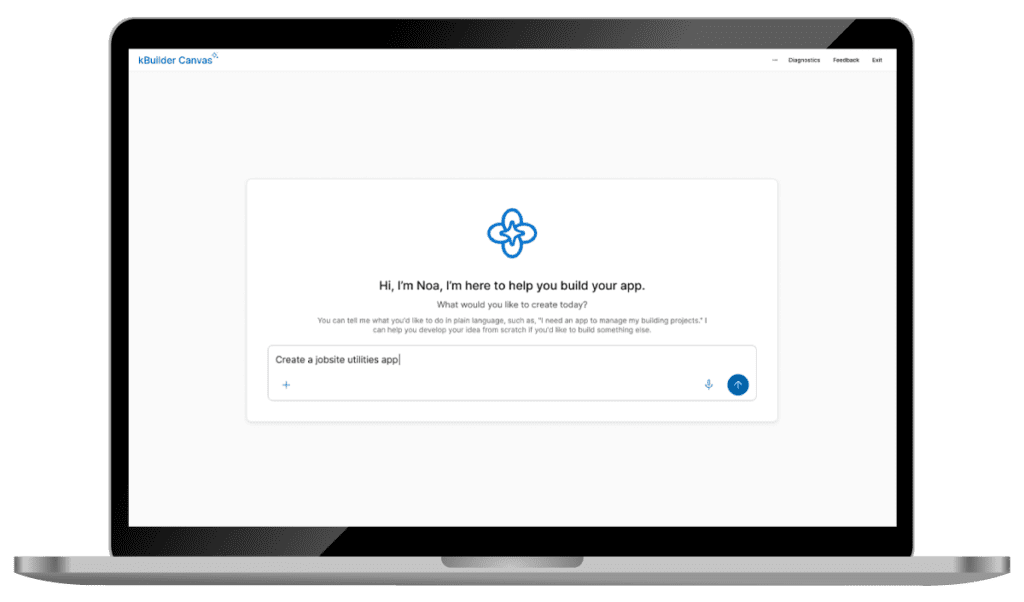
Step into the future with Kahua.
Describe the app you need in plain language using Noa inside of kBuilder Canvas™, or ask Noa a question when you need answers fast. From building workflows to finding project information in the field, Noa helps you get work done by simply asking.
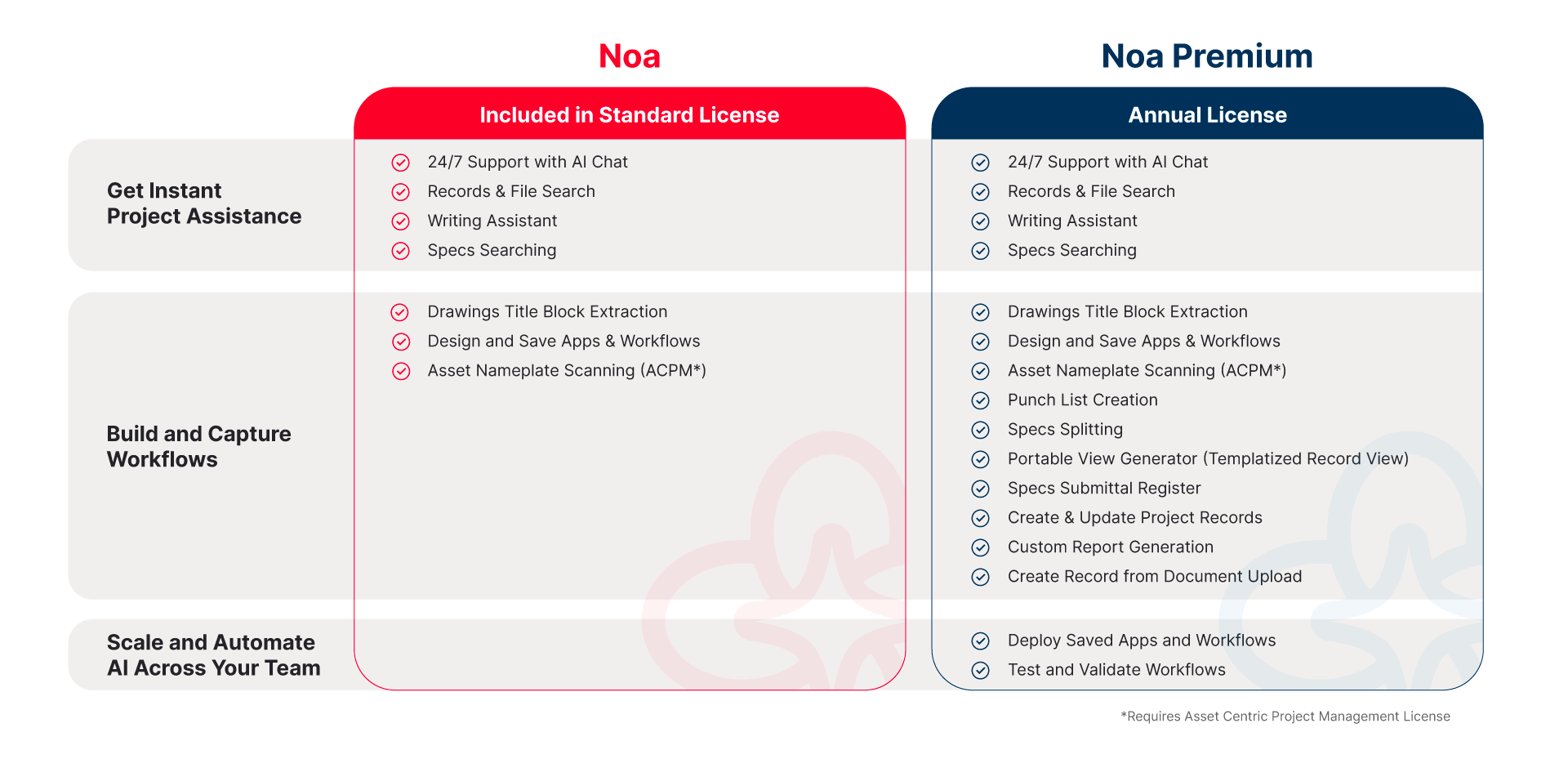
Add Noa to Your Team
Sign Up Today
Our team will review and confirm eligible participants.
FAQs
Noa is Kahua’s built-in AI assistant, powered by Kahua AI, designed for construction and capital program management. It helps teams work easier by answering questions, automating repetitive tasks, and uncovering insights from project data — while also enabling app and workflow creation using natural language through kBuilder Canvas.
Noa helps construction teams get real work done faster and easier. You can ask questions about your projects, instantly surface key information, automate routine tasks, and reduce manual work. Because Noa works inside Kahua, it understands your workflows, data, and processes — helping teams make faster, more confident decisions.
During the 90-day preview program, you can use Noa with your real project data and workflows. This includes asking questions about records, summarizing documents, and automating repetitive tasks. You can also create apps and workflows using Noa’s natural language prompt in kBuilder Canvas.
Unlike many AI tools that operate outside your systems, Noa is built directly into Kahua — your system of record. It works within your workflows, governance, and security controls, so your data stays private and your processes stay connected. This allows Noa to deliver more accurate, relevant, and actionable results from day one.
No. Noa is designed to be used with natural language. You can ask questions, automate work, or describe the app or workflow you need in plain language, and Noa helps make it happen — no coding required.